A paper screen
for your Mac.
Shoji lays a soft, true-to-life paper texture over everything on your display. It lives in the menu bar, and every click passes straight through.
Free download. macOS 13 or later, Apple silicon and Intel.
On light through paper
In a Japanese room, the shoji does not block the daylight. It takes the hard edge off it. The sun still comes in, but it arrives diffused, warm and even, as if the room itself were made of morning.
Screens are the opposite: bright, glossy, perfectly flat. Hours in front of one can feel like staring at a lamp. A little texture changes that. Text sits on the surface instead of glowing behind glass, and white stops shouting.
That's the whole idea. Paper, in front of the light.
Seven papers. One is free.
Plain Paper comes with the free app. Shoji Pro adds six more, each tuned separately for light and dark mode.
-
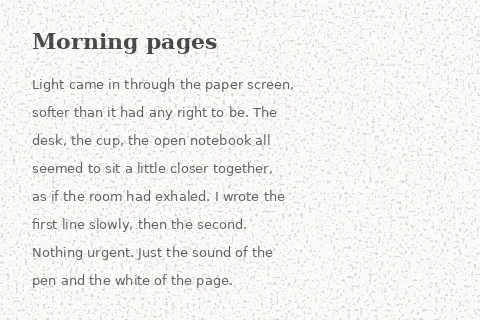
Plain Paper Free
A light, even grain on a faint warm tint.
-
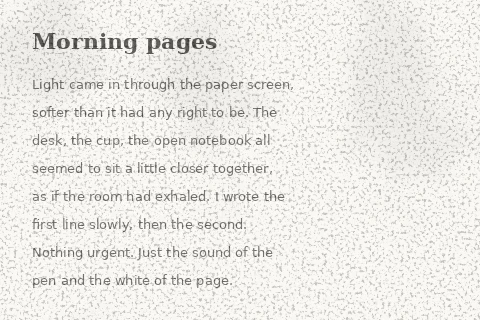
Rice Paper
Fine grain with soft, uneven warmth.
-
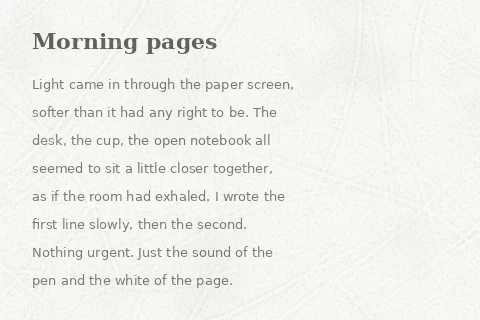
Washi
Long kozo fibers resting inside the sheet.
-
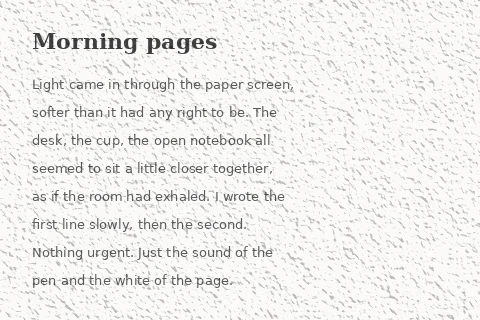
Cold Press
The pitted tooth of watercolor paper.
-
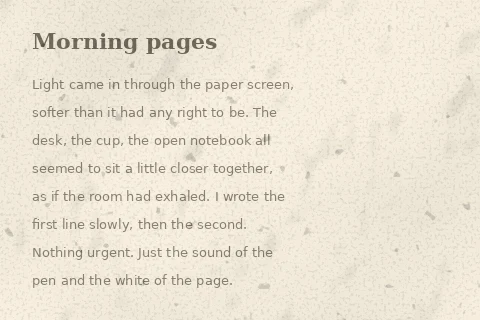
Parchment
Warm tan with tea stains and old specks.
-
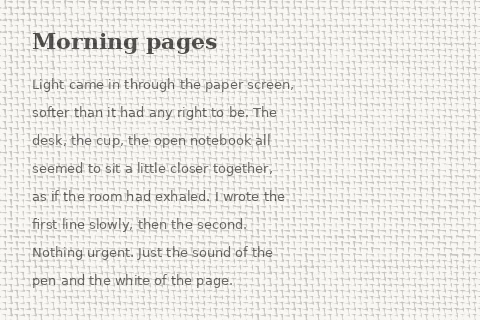
Linen
A real plain weave of fine threads.
-
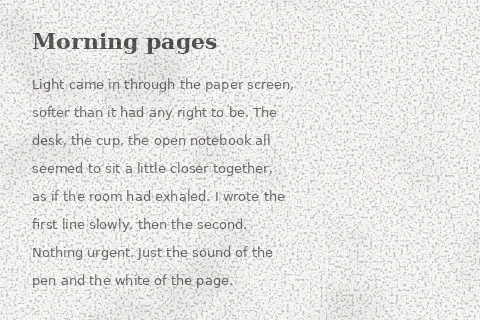
Newsprint
Grain with stray paper fibers.
It stays out of the way.
- Lives in the menu bar
- Turn it on or off, set the strength and switch paper in one click.
- Clicks pass through
- The texture never takes focus or covers a button.
- Light and dark
- Each paper is tuned for both, and follows your system setting.
- Covers everything
- Menu bar, Dock, every Space and full-screen apps.
- Keyboard shortcuts
- ⌃⌥⌘P toggles the paper, ⌃⌥⌘T switches texture, ⌃⌥⌘= and ⌃⌥⌘− set the strength.
- Pause when you need to
- For 15 minutes, an hour, or until tomorrow.
- Nearly free to run
- The paper is drawn once at launch, then shown as a still image.
- Private
- Textures are made on your Mac. Shoji never looks at your screen and collects no personal data.
Pay once, keep it.
No subscription. Updates are included.
Shoji
Free
- Plain Paper
- Strength, light and dark tuning
- Pause, shortcuts, open at login
Prices in USD; local taxes are calculated at checkout. Payments are handled by Polar, our merchant of record.
Questions
Will it slow down my Mac or drain the battery?
No. Shoji draws the texture once when it starts and then shows it as a still image, so it uses almost no CPU or battery.
Which Macs does it run on?
Any Mac with macOS 13 Ventura or later, on Apple silicon or Intel.
How many Macs can I use Shoji Pro on?
Up to three. To move to a new Mac, choose Deactivate on This Mac in Shoji's settings, or remove an old Mac from your account.
I lost my license key.
It's in your purchase email, and always available on your account page.
Can I get a refund?
Yes. If Shoji Pro isn't for you, email us within 14 days of purchase for a full refund.
Does Shoji record or read my screen?
No. It only draws a texture on top. It never captures, reads or uploads what's on your screen. See the privacy policy.
Will the texture show up in my screenshots?
By default no. Shoji hides itself from screenshots and screen sharing. You can turn that off in settings.